By Ali Abbas Khan, Director of Buyer Area Ltd. We have been testing, refurbishing and selling Microsoft Surface devices in the UK since 2011. Last updated 23 October 2026.
Quick answer
Yes, for most people a refurbished Surface Pro 7 is still a great buy in 2026, if you want a light, premium 2-in-1 for notes, Office, browsing, video calls and study at a fraction of the price of a new Surface.
- Best for: students, note-taking, Office and web work, travel, a second device.
- Not ideal for: heavy video editing, gaming, or anyone who wants a removable SSD or LTE (choose the Surface Pro 7+ for those).
- Price: see current prices for the refurbished Surface Pro 7 and the Surface Pro 7+.
- Good to know: Microsoft stopped Surface Pro 7 firmware and driver updates on 30 October 2025. The device runs Windows 11, which still gets its own security updates through Windows Update. More on that below.
Surface Pro 7 at a glance
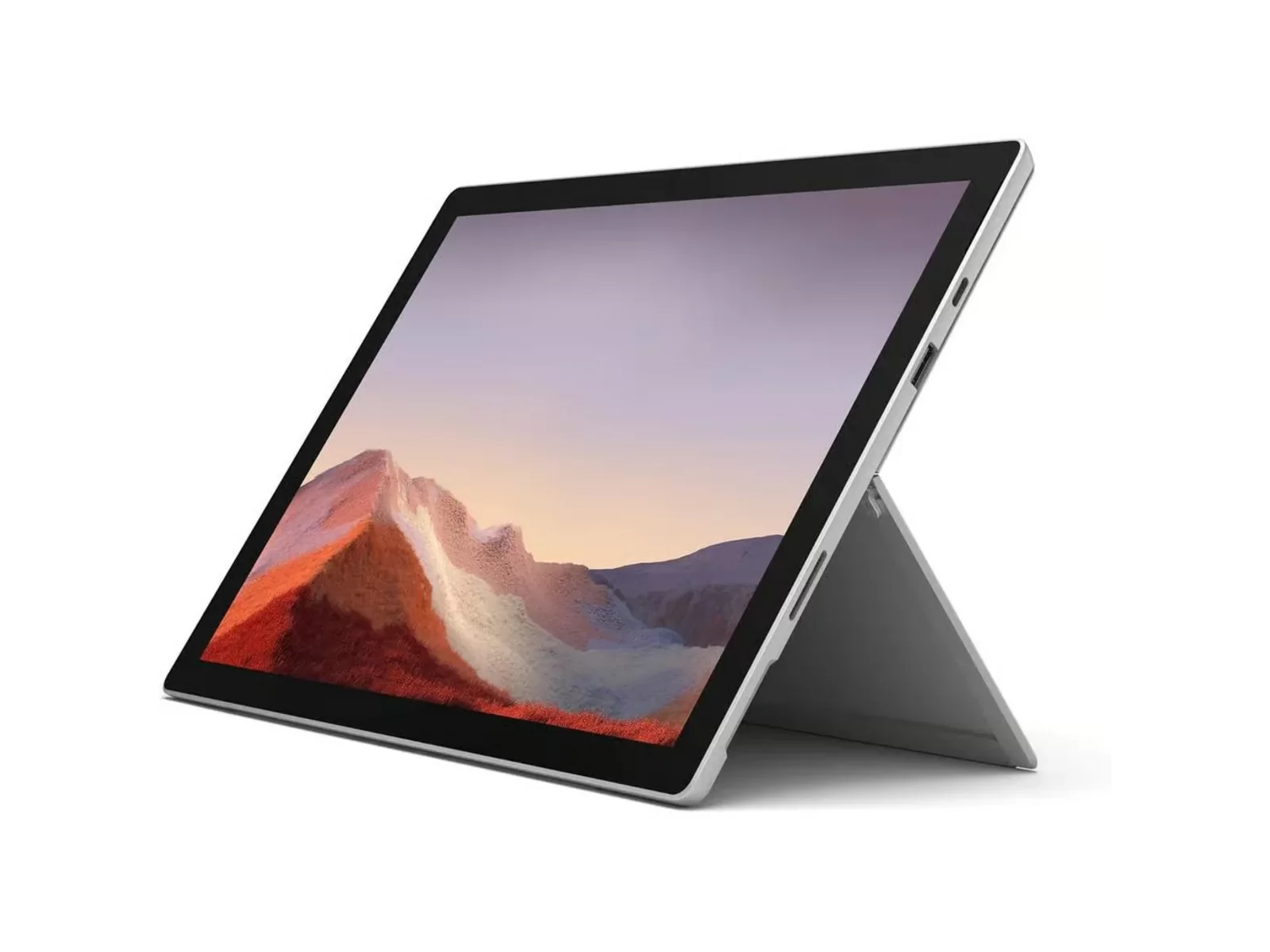
The Surface Pro 7 launched in October 2019. It was the first Surface Pro with a USB-C port and Intel 10th Gen processors, in the same slim magnesium body Surface fans know.
| Specification | Surface Pro 7 (2019) |
|---|---|
| Processor | Intel Core i3-1005G1 (2 cores), i5-1035G4 (4 cores) or i7-1065G7 (4 cores), 10th Gen |
| Graphics | Intel UHD (i3), Intel Iris Plus (i5, i7) |
| Memory | 4 GB, 8 GB or 16 GB LPDDR4x (soldered) |
| Storage | 128 GB, 256 GB, 512 GB or 1 TB SSD (not removable) |
| Display | 12.3-inch PixelSense touchscreen, 2736 × 1824, 267 ppi, 3:2 |
| Ports | 1 × USB-C, 1 × USB-A, Surface Connect, Type Cover port, microSDXC reader, 3.5 mm headphone jack |
| Wireless | Wi-Fi 6 (802.11ax), Bluetooth 5.0 |
| Cameras | 5 MP front (1080p) with Windows Hello face sign-in, 8 MP rear autofocus |
| Audio | 1.6 W stereo speakers with Dolby Audio, dual far-field mics |
| Size | 292 × 201 × 8.5 mm |
| Weight | 775 g (i3/i5), 790 g (i7), without keyboard |
| Battery (Microsoft claim) | Up to 10.5 hours typical use |
| Colours | Platinum, Matte Black |
Source: Microsoft Support, "Surface Pro 7 specs and features".
Is the Surface Pro 7 still good in 2026?
For everyday tasks, yes. The Core i5-1035G4 with 8 GB RAM, the most common refurbished configuration, handles Microsoft Office, Teams and Zoom calls, web browsing, streaming and note-taking smoothly. The 3:2, 2736 × 1824 screen is still sharper than many new budget laptops, and it's great for reading documents and touch use.
Where it shows its age:
- Heavy workloads: video editing and big multi-tasking sessions are better on newer chips.
- Sustained performance: like most thin tablets, it slows down under long, heavy loads. Notebookcheck saw this on the i7 version.
- Ports: one USB-C and one USB-A, with no Thunderbolt. A USB-C hub or a Surface Dock fixes that.
Windows 11 and updates: what you need to know
This is the question we're asked most, so here is the straight answer:
- Windows 11: the Surface Pro 7 is supported by Windows 11, and Microsoft lists Windows 11 as an upgrade.
- Windows security updates: these come from Windows Update for Windows 11 itself, not from the Surface device programme.
- Surface firmware and drivers: Microsoft ended Surface Pro 7 firmware and driver updates on 30 October 2025. The device keeps working normally, but it won't get new Surface-specific fixes.
- Surface Pro 7+: firmware and driver support runs until 15 January 2027, so it's the better choice if you want the longest Microsoft device support.
Every refurbished Surface we sell is set up and tested on Windows 11, ready to use.
Battery life: what to expect
Microsoft rates the Surface Pro 7 at up to 10.5 hours of typical use, measured on new hardware. Real-world battery life on any tablet depends on screen brightness, apps and battery age, so expect less than the claim with heavy use.
For longer battery life, the Surface Pro 7+ has a larger battery and Microsoft rates it at up to 15 hours. Each listing states the unit's grade, and where the battery has been tested, its battery standard.
Surface Pro 7 vs Surface Pro 7+: which should you buy?
They look almost identical, and the keyboards are interchangeable. The differences are inside:
| Surface Pro 7 (2019) | Surface Pro 7+ (2021) | |
|---|---|---|
| Processor | 10th Gen Intel (i5-1035G4 common) | 11th Gen Intel (i5-1135G7, i7-1165G7) |
| Graphics | Intel Iris Plus | Intel Iris Xe, noticeably faster |
| RAM | Up to 16 GB | Up to 32 GB |
| SSD | Fixed | Removable (access door) |
| LTE | No | Optional on some i5 models |
| Battery claim | Up to 10.5 hours | Up to 15 hours |
| Surface firmware/driver support | Ended Oct 2025 | Until Jan 2027 |
| Refurbished price at Buyer Area | See current prices | See current prices |
Our verdict:
- Pick the Surface Pro 7 for the lowest price on a premium 2-in-1 for Office, study and browsing.
- Pick the Surface Pro 7+ for more power (i7, Iris Xe), more RAM, longer battery life and the longest Microsoft device support.
Compare every model on our refurbished Surface Pro hub.
Keyboards and accessories
- Keyboard: the Surface Pro 7 uses the Surface Pro Type Cover. Type Covers made for the Surface Pro 3, 4, 5 (2017), 6, 7 and 7+ fit. The newer Surface Pro 8, 9, 10 and 11 keyboards do not fit.
- Charging: use the Surface Connect charger. The USB-C port is for accessories, displays and data.
- Docks: works with the Surface Dock and USB-C hubs for extra monitors, USB ports and Ethernet.
Check each listing to see whether a Type Cover is included with the unit.
What to check before buying a refurbished Surface Pro 7
- Processor and RAM: i5 with 8 GB is the sweet spot; avoid 4 GB for Windows 11.
- Storage: 256 GB or more, because the Pro 7's SSD can't be upgraded.
- Screen condition: look for a clear grade description (no dead pixels, scratches described).
- Battery standard: ask what minimum battery health the seller guarantees.
- Warranty: get at least 12 months.
- Windows 11 activated: make sure it comes set up and licensed.
At Buyer Area all of this is covered as standard.
Pros and cons
Pros
- Light (775 g) and slim, a true tablet and laptop in one
- Sharp 12.3-inch 3:2 PixelSense touchscreen
- USB-C and USB-A, plus a microSD slot for extra storage
- Windows Hello face sign-in, Wi-Fi 6
- Works with older Type Covers (Pro 3 to 7+)
- Excellent value refurbished
Cons
- SSD isn't removable or upgradeable
- Surface firmware and driver updates ended in Oct 2025
- No Thunderbolt; only two USB ports
- Keyboard often sold separately
Why buy a refurbished Surface Pro 7 from Buyer Area?
- 12-month warranty on every device
- Tested and professionally refurbished in our own UK facility
- Clear grades (A or B). Each listing states the unit's grade, and where the battery has been tested, its battery standard.
- Windows 11 set up and ready
- Free UK delivery (2–4 working days)
- 30-day returns with a full refund
- UK business trading since 2011, ISO 9001, 14001 and 45001 certified
Shop refurbished Surface Pro 7 · Shop Surface Pro 7+ · All refurbished Surface Pro models
Frequently asked questions
Is the Surface Pro 7 still worth buying in 2026?
Yes, refurbished, for Office, study, browsing and video calls. It's light, has a sharp screen and runs Windows 11. For heavier work, more RAM or longer battery life, the Surface Pro 7+ is the better buy.
Does the Surface Pro 7 support Windows 11?
Yes. The Surface Pro 7 runs Windows 11, and Windows security updates come through Windows Update. Microsoft ended Surface Pro 7 firmware and driver updates on 30 October 2025.
When does Surface Pro 7 support end?
Microsoft's Surface firmware and driver updates for the Surface Pro 7 ended on 30 October 2025. For the Surface Pro 7+, they continue until 15 January 2027.
What is the difference between the Surface Pro 7 and 7+?
The 7+ has 11th Gen Intel processors with Iris Xe graphics, up to 32 GB RAM, a removable SSD, optional LTE, and Microsoft rates its battery life at up to 15 hours of typical device usage, against up to 10.5 hours for the Pro 7. They look the same and share the same keyboards.
How long does the Surface Pro 7 battery last?
Microsoft rates it at up to 10.5 hours of typical use. Real-world life depends on brightness, apps and battery age. Each listing states the unit's grade, and where the battery has been tested, its battery standard.
Can you upgrade the RAM or SSD in a Surface Pro 7?
No. RAM is soldered and the SSD is fixed. Choose the right configuration when you buy; 8 GB RAM and 256 GB SSD is the most popular.
Which keyboard fits the Surface Pro 7?
The Surface Pro Type Cover. Covers made for the Surface Pro 3, 4, 5, 6, 7 and 7+ fit; keyboards for the Surface Pro 8 and later don't.
Does the Surface Pro 7 have USB-C?
Yes. It has one USB-C port and one USB-A port, plus the Surface Connect port for charging and docks.
Is the Surface Pro 7 good for students?
Yes. It's light, the 3:2 screen is great for documents, the touchscreen makes it easy to use as a tablet, and refurbished prices are affordable.
What is the screen resolution of the Surface Pro 7?
12.3 inches at 2736 × 1824 pixels (267 ppi), 3:2 aspect ratio, with 10-point touch.
Sources
- Microsoft Support: Surface Pro 7 specs and features
- Microsoft Support: Surface Pro 7 / 7+ update history
- Windows Central: Surface Pro 7+ vs Surface Pro 7
- Notebookcheck: Microsoft Surface Pro 7 review
- Microsoft Learn: Surface driver and firmware lifecycle
Prices and stock correct at the time of writing (October 2026). See the Surface Pro 7 product page for live prices.