Let's be upfront: we sell Mac Mini 2014s. So you might expect us to tell you they're brilliant. The honest answer is more nuanced — and actually more useful to you.
Some configurations of the Mac Mini 2014 are genuinely excellent value in 2026. Others are a waste of money. And one on our shelves we'd actually steer you away from. Here's the full picture.
The OS Question Everyone Asks First
The Mac Mini 2014 officially tops out at macOS Monterey (12). Apple dropped it from supported hardware after that. Critics online will tell you this makes it a dead machine. They're wrong — but only if the seller does one thing right.
Every Mac Mini 2014 we sell ships with macOS Ventura pre-installed using OpenCore Legacy Patcher (OCLP). This is a mature, well-supported open-source tool used by tens of thousands of Mac users worldwide to run modern macOS on older hardware. It's not a hack — it's a proper boot manager that patches hardware compatibility in memory without touching your firmware.
What this means practically:
- Google Chrome — works fully. Chrome 151 drops Monterey in July 2026, but Ventura is fully supported
- Microsoft 365 — Word, Excel, PowerPoint, Teams all run on Ventura. Current versions, fully supported
- Safari — current version, fully updated
- iCloud, FaceTime, Messages — all work
- Firefox, Spotify, VLC, Zoom — all work normally
- Security updates — Ventura received Apple security updates until August 2025 (macOS Ventura 13.7.8), a year longer than Monterey (last update July 2024)
What doesn't work as well as a newer Mac: demanding video editing, running multiple virtual machines, or anything requiring Apple Silicon performance. For that, you need a Mac Mini M1 or newer.
The Specs That Actually Matter
Here's our current stock, honestly assessed:
✅ Best Buy: i5 2.8GHz / 16GB RAM / 512GB SSD
This is the one to get. The 2.8GHz dual-core i5 with 16GB RAM and a solid state drive is the sweet spot. It handles everyday tasks — browsing, Office, email, video calls, light photo editing — without breaking a sweat. The SSD means it boots in under 20 seconds and apps open instantly.
This is extraordinary value (see current prices). You're getting a compact, silent Mac for everyday use for much less than a refurbished Mac Mini M1.
Who this is for: Home users, students, anyone who needs a compact Mac for everyday work. Small businesses running on Office and Chrome.
✅ Good Value: i5 2.8GHz / 8GB RAM / 512GB SSD
The 8GB model is fine for most users — browsing, Office, streaming, email. Where you'll notice the difference versus 16GB is when you have 20+ tabs open alongside a video call. For lighter use, you won't notice.
⚠️ Worth Knowing: i5 2.8GHz / 8GB / 1TB Fusion Drive
The Fusion Drive is a hybrid — part SSD (32GB), part spinning hard disk. When data fits in the SSD portion it's fast. When it doesn't, it falls back to the slower HDD. In practice this means it's noticeably slower than a pure SSD model for anything beyond the most-used files. Fine for very light use, but we'd steer most buyers toward the SSD model at the same price.
❌ Avoid: i5 1.4GHz / 4GB RAM / 500GB HDD
We're going to be straight with you: don't buy this one. The 1.4GHz processor is the weakest chip Apple ever put in a Mac Mini. Combined with 4GB of soldered RAM that cannot be upgraded and a spinning hard drive, it struggles noticeably under Ventura. Chrome with a few tabs is sluggish. Opening settings takes longer than it should.
For a little extra, the 8GB SSD models are dramatically better machines. The 1.4GHz model only makes sense as a dedicated offline device — a media player, a digital display, a print server — where you'll never browse the web.
What Runs, What Doesn't — The Full App Picture
Works perfectly on Ventura:
Microsoft 365 (Word, Excel, PowerPoint, Teams), Google Chrome, Firefox, Safari, Zoom, Spotify, VLC, iCloud Drive, Photos, FaceTime, Messages, Apple Music, Pages, Numbers, Keynote, Affinity Photo, Affinity Designer
Works with limitations:
Adobe Creative Cloud — current versions require Sonoma or newer. If you need Photoshop, you'll need to run an older compatible version or use the excellent Affinity suite instead (one-off purchase, no subscription)
Doesn't work:
Apple Intelligence features (M-series only), Handoff continuity features with newer iPhones require Bluetooth LE, gaming above casual browser games
What You Actually Get
Each unit (see current prices) has been professionally tested, reset to factory settings, and loaded with macOS Ventura by us before dispatch.
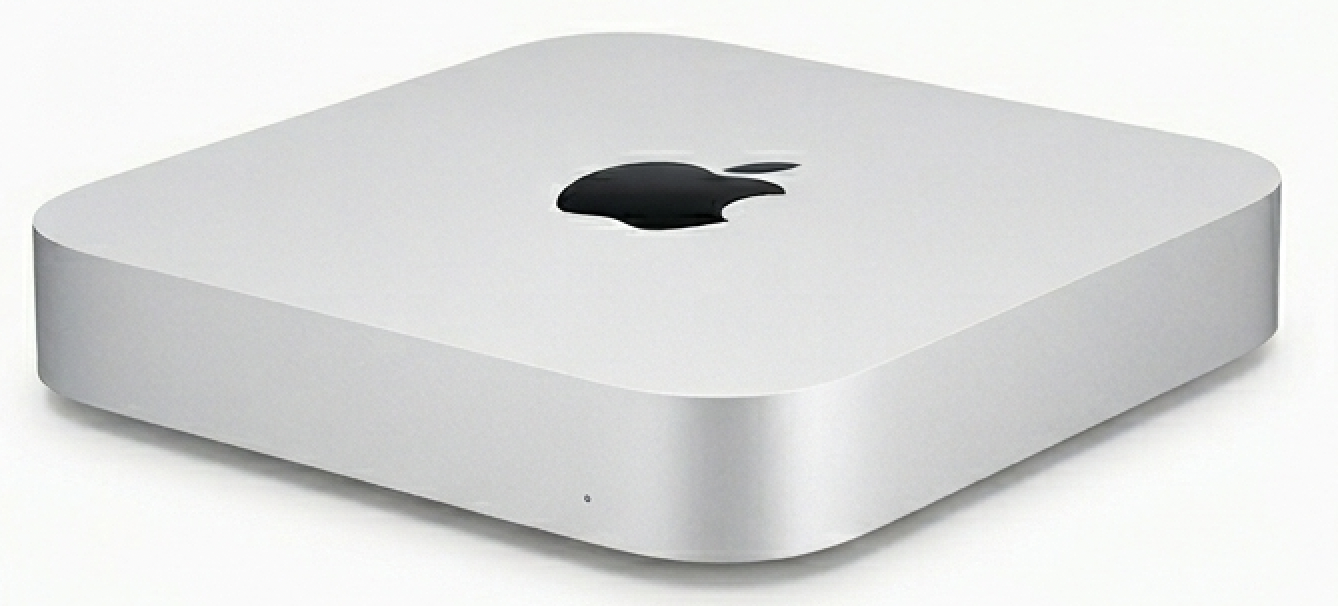
The chassis is solid aluminium. It measures 197mm × 197mm × 36mm — smaller than most external hard drives. It runs completely silently. Power consumption is around 11W at idle, making it one of the most energy-efficient desktop computers available.
Every unit comes with a 12-month warranty from Buyer Area Ltd (Companies House No. 07830466, trading since 2011), free UK delivery, and a 30-day return policy.
The Honest Verdict
Buy it if: You need a compact, quiet Mac for everyday tasks — Office, browsing, email, FaceTime, Zoom, Spotify — and don't want to spend £500+. Get the 16GB SSD model.
Don't buy it if: You edit video, run Windows in Parallels, need the latest macOS features, or plan to use it as your main machine for the next 5+ years. In that case, stretch to a refurbished Mac Mini M1.
The bottom line: With an SSD (see current prices), the Mac Mini 2014 is one of the best value compact computers in the UK right now. We'd rather be honest about its limitations and sell you the right one than oversell it and have you disappointed.
View refurbished Mac Mini 2014 →
Browse all refurbished desktops →