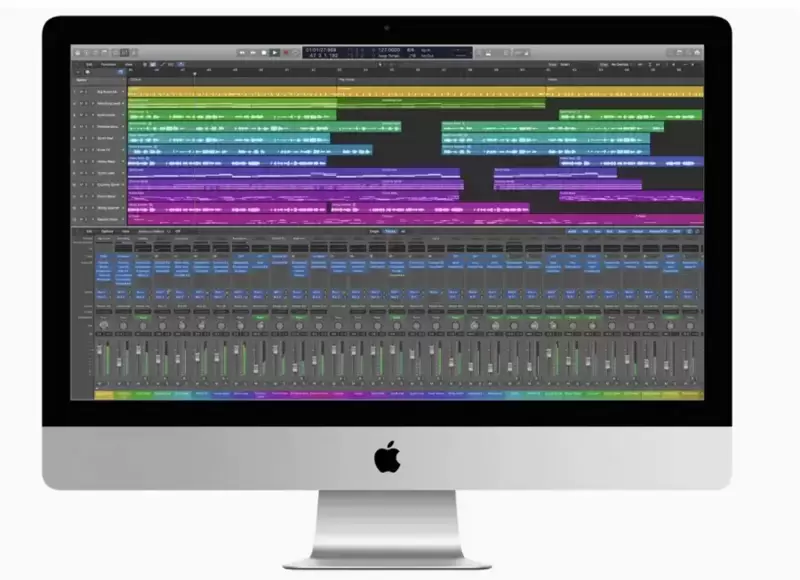
The refurbished iMac market in 2026 presents a fascinating choice: Intel machines from 2012-2019 at the budget end, or Apple Silicon M1 models at the top of the range. After testing machines across this range, the answer isn't simply "buy the newest" – it depends entirely on what you're actually doing with it. The refurbished iMac models we have in stock are compared side by side, with each one's year, screen and latest official macOS.
The brutal truth? Half these models aren't worth your money in 2026, regardless of price. But the right choice can deliver genuine Apple all-in-one computing at a fraction of new prices.
The Sweet Spot Models (What We'd Actually Buy)
✅ iMac 27" 2019 Grade A
This is the pick of the Intel bunch and our top recommendation for most buyers. The 2019 27" delivers 5K Retina display quality that still impresses, decent performance for office work and light creative tasks, and crucially, Apple supports it up to macOS Sequoia (15).
See current prices. The 27" screen real estate makes this genuinely useful for productivity work, photo editing, and general computing. It's the last generation before Apple's design refresh, meaning spare parts and repairs remain viable.
Who should buy this: Anyone wanting a premium all-in-one for office work, students, or light creative work who values screen size over cutting-edge performance.
✅ iMac 24" M1 Grade A
The M1 iMac represents Apple's future, and it's remarkably good value for what you get (see current prices). Performance absolutely destroys any Intel iMac for most tasks – we're talking 2-3x faster for video editing, coding, and general responsiveness.
The 24" display loses some real estate versus the 27" models, but colour accuracy is superior and the overall design feels genuinely modern. Apple lists the iMac (24-inch, M1, 2021) as compatible with macOS 27 Golden Gate, the latest major version of macOS.
The catch: it's still serious money, and the base M1 model comes with just 8GB RAM (not upgradeable). If your budget stretches this far, it's worth considering.
The Budget Contenders
✅ iMac 27" 2015 Grade C
This represents the absolute floor of usable iMac computing in 2026. Grade C means visible wear, but functionally it'll handle basic computing tasks. A comparable 5K display alone would cost more than the whole machine to buy separately (see current prices).
Reality check: Apple's official support for this machine ends at macOS Monterey (12). Ours ship with macOS Ventura installed via OpenCore Legacy Patcher (what that means), but software compatibility issues are still real. It's genuinely only suitable for basic web browsing, email, and light office work. But for someone wanting to try macOS or needing a decent display for basic tasks, it's hard to argue with.
❌ iMac 27" 2012 Grade A
Don't be tempted by the low price tag. Apple's official support for the 2012 model ends at macOS Catalina (10.15); ours ship with macOS Ventura via OpenCore Legacy Patcher, which is outside Apple's support. Web browsers increasingly struggle with older macOS versions, making this more frustration than bargain.
The display is also non-Retina, looking genuinely dated in 2026. Spend a little more and buy the 2015 model instead.
The Overpriced Middle Ground
❌ iMac 21.5" Models (All Years)
Every 21.5" iMac in the current range represents poor value. The screens feel cramped for serious work, performance doesn't justify the prices when 27" models offer better value, and the smaller form factor doesn't solve any real problem.
The refurbished iMac 27" 2015 in Grade C offers significantly more usable screen space than any 21.5" model at similar prices.
❌ iMac 27" 2017 Grade B
This sits in no-man's-land: too expensive for a budget choice, not modern enough to justify the premium over the 2015 model. The performance gains are minimal for most users, while software support timeline is barely better than the 2015.
What About Alternatives?
Before committing to any iMac, consider whether you actually need the all-in-one form factor. The refurbished Mac Mini 2014 plus a separate monitor might deliver better value and upgradeability.
For similar money to the M1 iMac, the MacBook Pro 13" M1 offers genuine portability with similar performance.
Software Compatibility Reality Check
This matters more than specifications. Here's what actually runs on each generation:
- 2012-2014 models: Apple's official maximum is macOS Catalina (10.15) for 2012 and 2013 models and macOS Big Sur (11) for 2014 models; ours ship with macOS Ventura via OpenCore Legacy Patcher. Current versions of Chrome, Firefox increasingly problematic. Adobe Creative Suite 2020 or older only.
- 2015-2017 models: Apple's official maximum is macOS Monterey (12) for 2015 models (ours ship with macOS Ventura via OpenCore Legacy Patcher) and macOS Ventura (13) for 2017 models. Most current software works but expect compatibility warnings.
- 2019 Intel: supported by Apple up to macOS Sequoia (15).
- M1 models: Apple lists the iMac (24-inch, M1, 2021) as compatible with macOS 27 Golden Gate, the latest major version of macOS.
The Honest Verdict
Buy the iMac 27" 2019 if you want the best balance of screen size, performance, and software compatibility. It's expensive but genuinely useful for years to come.
Choose the iMac 27" 2015 Grade C if budget is paramount and you understand the software limitations.
Consider the M1 iMac only if you need cutting-edge performance and can afford the premium.
Avoid everything else – they're either overpriced for what they deliver or too limited for practical 2026 use.
Buyer Area offers 12-month warranty and free UK delivery on all models, with 30-day returns if you're not satisfied. At these prices, a refurbished iMac represents one of the better ways to access genuine Apple computing without the new-price premium.
See every iMac we have in stock, with prices and macOS support, on our refurbished iMac UK page.