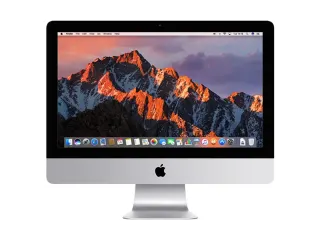
title: "macOS Ventura on Older iMacs: What OpenCore Legacy Patcher Means" description: "Some refurbished iMacs run macOS Ventura via OpenCore Legacy Patcher rather than Apple's official installer. What that means for updates, apps and support." slug: "macos-ventura-older-imac-oclp-explained" keywords: ["opencore legacy patcher imac", "macos ventura old imac", "iMac 2012 macos ventura", "refurbished iMac operating system"] date: "2026-09-22" author: "Ali Abbas Khan" schema: "BlogPosting"
If you're looking at an older refurbished iMac, you may notice it's running macOS Ventura even though Apple stopped supporting that model years before Ventura existed. That's not a mistake or a mislabelled listing. Six of the older Apple desktops we sell run Ventura through a tool called OpenCore Legacy Patcher (OCLP), which goes beyond what Apple officially supports on that hardware. This guide explains what that means in practice, what still works, and what to check before you buy.
Quick answer
OpenCore Legacy Patcher is community software that lets newer versions of macOS, including Ventura, install and boot on Mac hardware Apple no longer supports1. It patches the parts of macOS that would otherwise refuse to run, so you get a modern interface and current apps on a Mac that Apple's own installer would reject. It works well for browsing, office software and everyday use, but it isn't an Apple product, and a small number of features tied to specific Apple chips won't work.
Why some older iMacs need it at all
Apple sets its own cut-off for how far back each macOS version reaches. Ventura's own official compatibility list starts no earlier than iMacs from 20172, which puts every 2012, 2013, 2014 and 2015 iMac we sell outside Apple's supported range for that update. Once a Mac drops off that list, Apple's installer won't offer it the update, no matter how capable the hardware still is.
Left on its last official macOS version, a Mac like this would be stuck on old Safari versions, old security patches, and apps that increasingly refuse to open on unsupported systems. OCLP is the workaround the wider Mac community built for exactly this problem1.
What OpenCore Legacy Patcher actually does
OCLP doesn't rewrite macOS. It sits underneath it, at boot time, and patches the specific components that check for supported hardware or that rely on newer Apple chips the older iMac doesn't have1. In practice that means:
- The Mac boots into what looks and behaves like standard macOS Ventura.
- Most everyday apps, System Settings panels and macOS features work as normal.
- A handful of features tied to Apple-specific silicon (such as some camera effects or certain security features built around Apple's T2 chip) are unavailable or run differently, because the underlying chip simply isn't present on these older Macs.
This is standard practice across the wider Mac refurbishing and enthusiast community for keeping older Intel Macs usable, not something specific to how we run it.
What this means day to day
| Task | What to expect |
|---|---|
| Browsing, email, streaming | Works normally on current Safari/Chrome versions |
| Office and productivity apps (Word, Excel, Pages) | Works normally |
| App Store apps | Most install and run; a few newer titles may require Apple Silicon and won't be offered |
| System updates | Future macOS point updates need OCLP to be updated too, not just downloaded from Apple |
| Apple-silicon-only features | Not available (they rely on hardware these Macs don't have) |
| Warranty and support from Apple | None; Apple does not support macOS on hardware it has dropped from its own list |
What we see on our bench
We install and test every one of these units ourselves before it's listed, so a couple of patterns have become familiar to us.
- The patched machines boot and run like any other Mac in normal use. Once OCLP has done its job at startup, day-to-day use in Safari, Mail, Pages or Office looks and behaves like Ventura on newer hardware. Customers who don't already know their iMac is on OCLP rarely notice a difference in daily use.
- Fans and thermals need a second look on the older 27in units. The 2012 and 2014 27in iMacs run a modern macOS build on a decade-old cooling system, so on our bench we specifically check fan behaviour and running temperature under load rather than assuming the original design copes the same way it did when new.
Should you buy one?
This comes down to what you do with the machine.
- You want a capable, affordable desktop for browsing, office work, email and media – a Ventura-via-OCLP iMac is a sensible buy. You get a modern interface and current apps at a fraction of the price of a new Mac.
- You need guaranteed long-term Apple support and updates without any third-party layer – be aware OCLP is not an Apple product, and Apple won't offer support for issues that trace back to it.
- You rely on features specific to Apple Silicon or the T2 chip, such as certain camera or security features – check the specific limitation against your use case before buying, since these simply aren't present on older Intel iMacs regardless of software.
- You're comparing against a 27in iMac from 2017 or 2019 – those sit closer to, or within, Apple's official support window depending on the exact model and macOS version2, so check the individual listing rather than assuming.
Our iMac buying guide by year goes through which generations suit which budgets and needs in more detail.
Buying refurbished from Buyer Area
Every iMac we sell is completely factory reset with all user data permanently removed, then set up with the latest compatible operating system for that specific model. On the older 21.5in and 27in iMacs, that means Ventura installed via OpenCore Legacy Patcher, and we say so plainly rather than leaving you to find out later. We test the screen, ports, RAM and storage, plus Wi-Fi, Bluetooth, camera, microphone and speakers on every unit. Grades describe cosmetic condition only, explained in full on our refurbished grades guide page, and every device comes with a 12-month warranty, 30-day returns and free mainland UK delivery regardless of grade.
FAQ
Is it safe to run macOS Ventura on an old iMac via OpenCore Legacy Patcher?
Yes, for everyday use. OCLP is widely used across the Mac community to keep older Intel Macs current, and the underlying macOS runs normally for browsing, office work and most apps. It isn't an Apple-supported configuration, so Apple won't provide support for issues traced back to it.
Will my iMac still get macOS updates after I buy it?
Point updates to macOS Ventura need OCLP itself to be kept up to date, not just the update downloaded from Apple. This is different from a normally supported Mac, where Apple's own updater handles everything.
What doesn't work with OpenCore Legacy Patcher?
A small number of features built specifically around Apple Silicon or the T2 security chip aren't available, because the underlying hardware isn't present on these older Intel iMacs. Everyday apps, browsing and office software work normally.
Which iMacs in your range use OpenCore Legacy Patcher?
Six of our older Apple desktop models are set up this way; check the individual product listing for the exact model and macOS version, since some later iMacs sit within Apple's own support window and don't need it.
See every iMac we have in stock, with prices and macOS support, on our refurbished iMac UK page.
Sources
- OpenCore Legacy Patcher Project, "OpenCore Legacy Patcher Documentation". https://dortania.github.io/OpenCore-Legacy-Patcher/ (checked 2026-09-22) ↩
- Apple, "macOS Ventura is compatible with these computers". https://support.apple.com/en-us/109033 (checked 2026-09-22) ↩