Dell Pro Thunderbolt 4 Dock WD25TB4 is a refurbished docking station from Buyer Area, from £139.99, 12-month warranty, free mainland UK delivery and 30-day returns.
Dell Thunderbolt 4 dock · From £139.99
12-month warranty · Free mainland UK delivery · Dispatched within 1–2 working days · 30-day returns · Secure data wipe
We deliver to mainland UK addresses only, not to Northern Ireland, the Scottish Highlands and Islands, the Isle of Man, the Channel Islands, the Isles of Scilly or PO boxes.
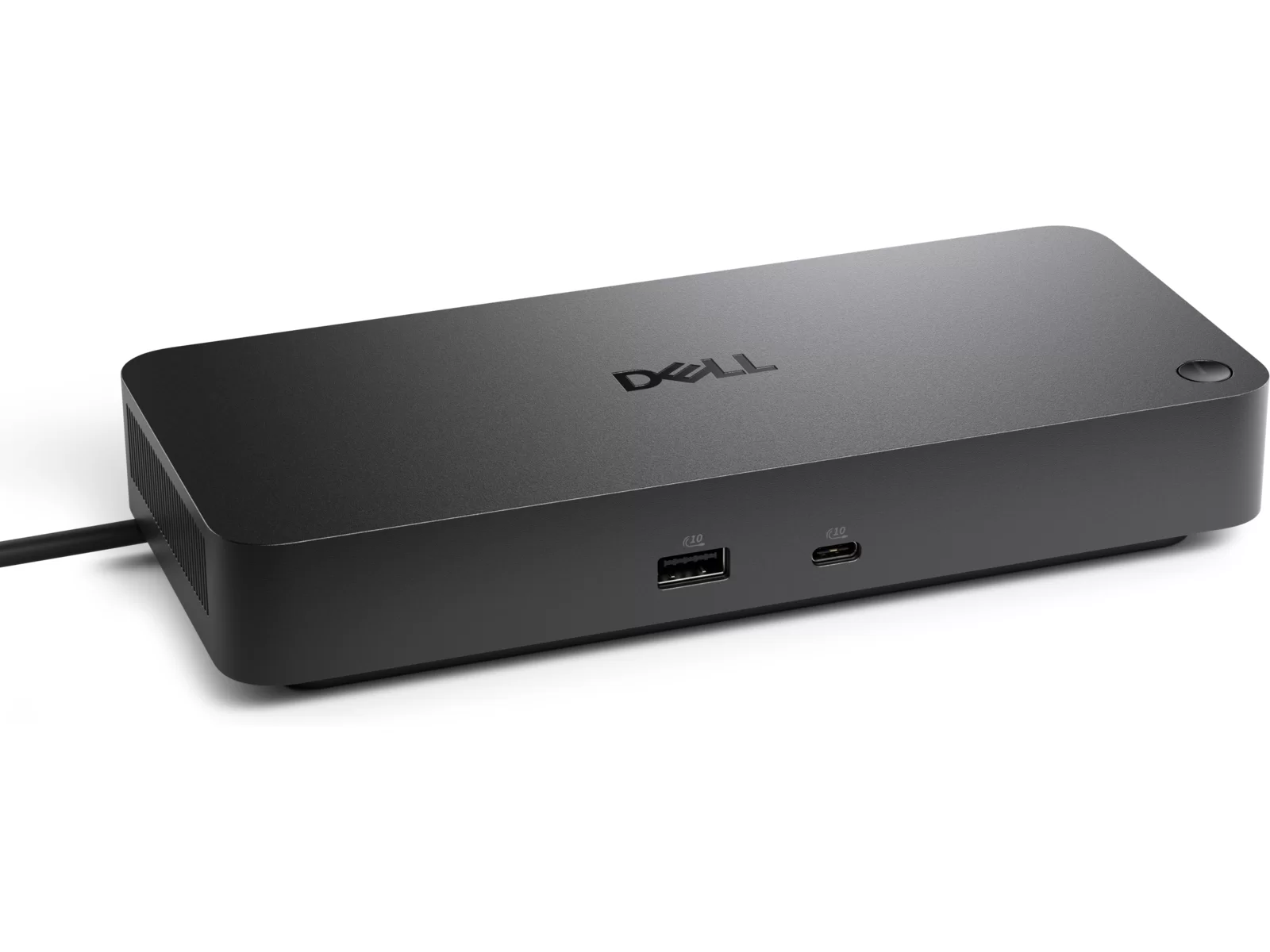
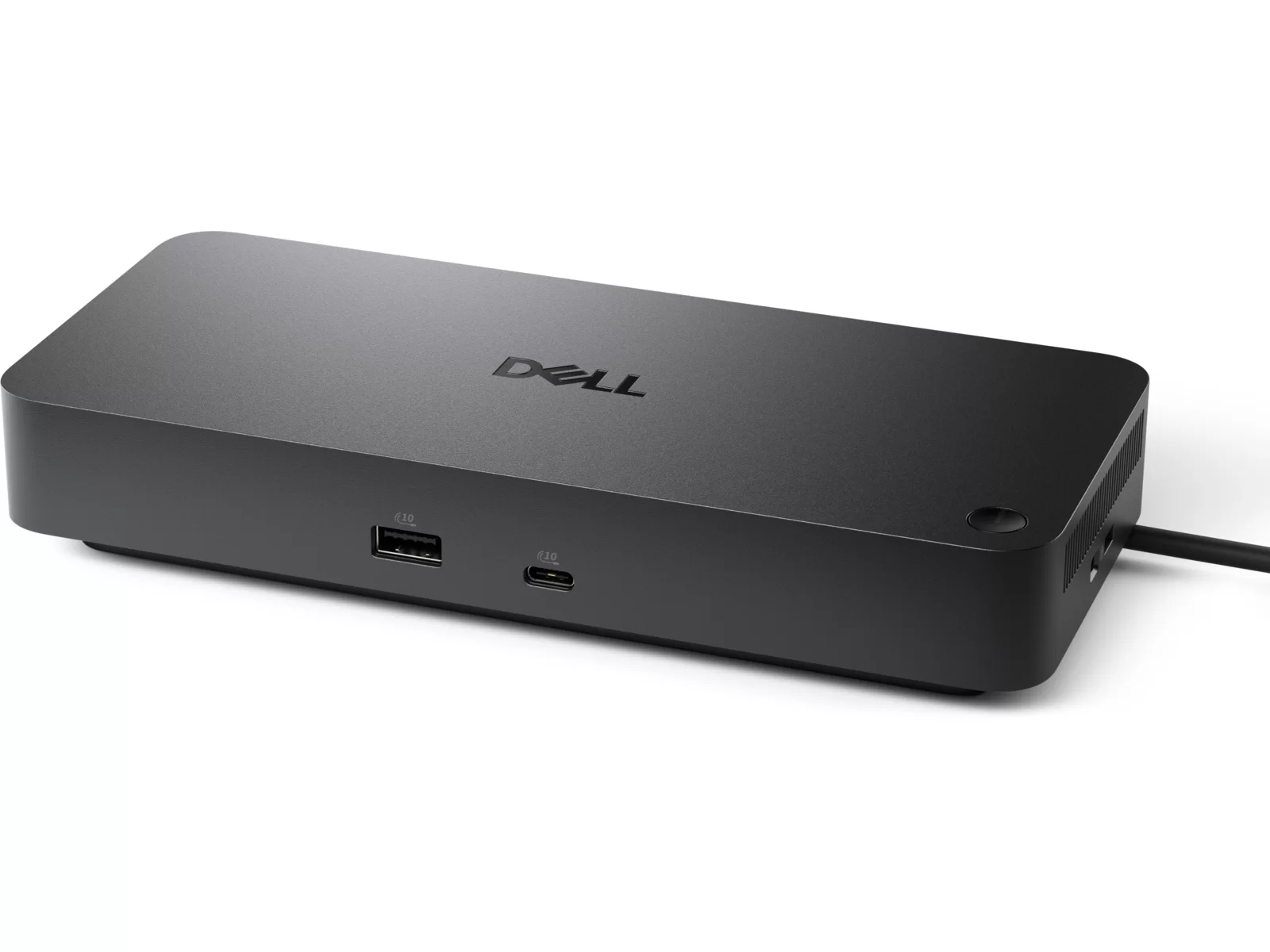
The Dell Pro Thunderbolt 4 Dock WD25TB4 is a docking station that connects via Thunderbolt 4 to expand your laptop's connectivity. It supports up to four displays through multiple video outputs, turning a single cable into a complete desk setup with monitors, peripherals and network access. The dock charges Dell laptops at up to 130W (96W to non-Dell) from its 180W power adapter, keeping your machine charged while you work. This suits professionals and office workers who need a reliable multi-screen workspace without cable clutter. The 2.5GbE network port provides fast wired internet for demanding tasks or large file transfers. This docking station comes without a charger in the box. If you need one, you can add a matching charger to your order on this page when available.
Key specifications
Year: 2024
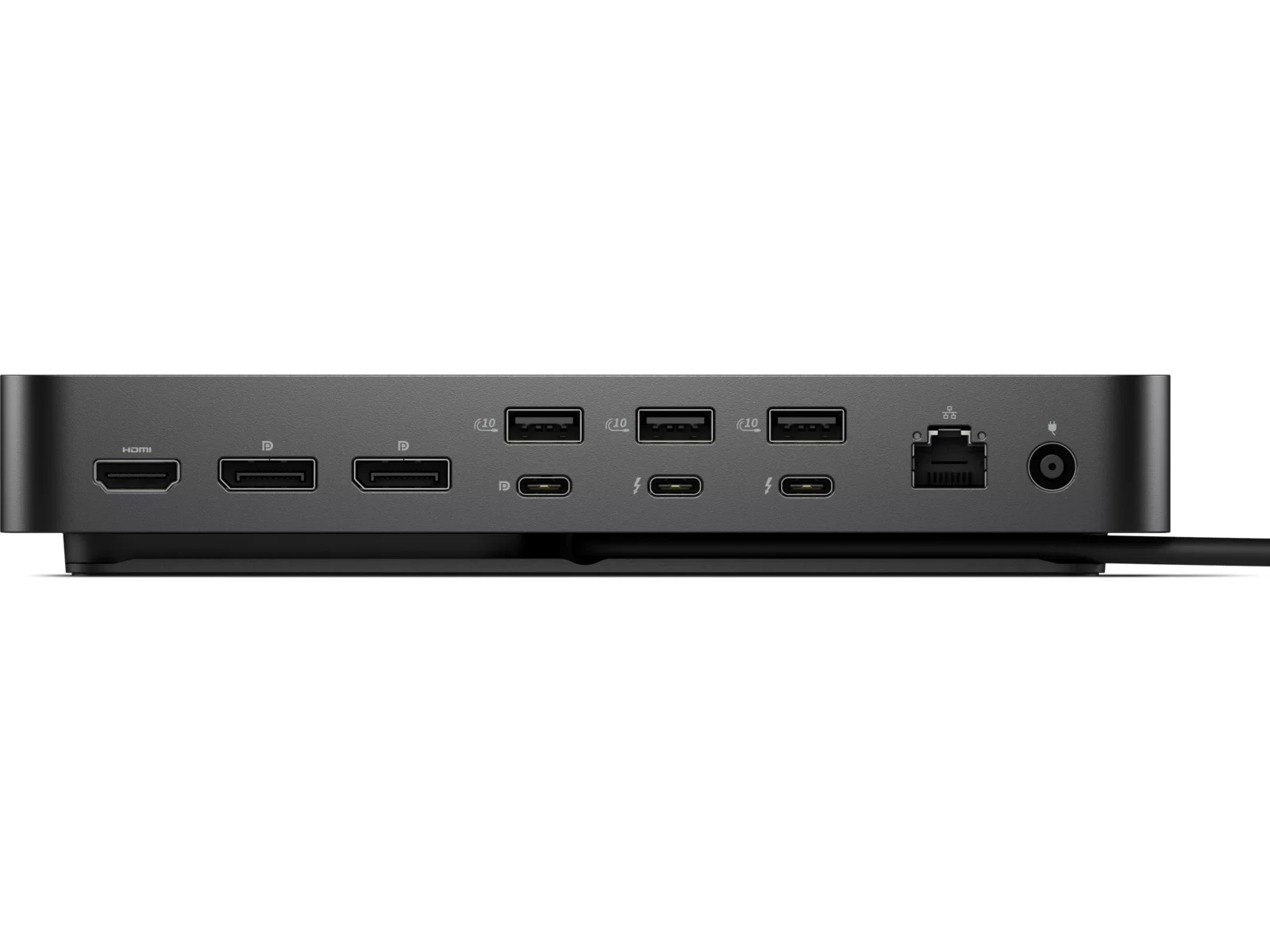
Thunderbolt 4 Ports: 2× Thunderbolt 4 (40Gbps, DisplayPort, power delivery)
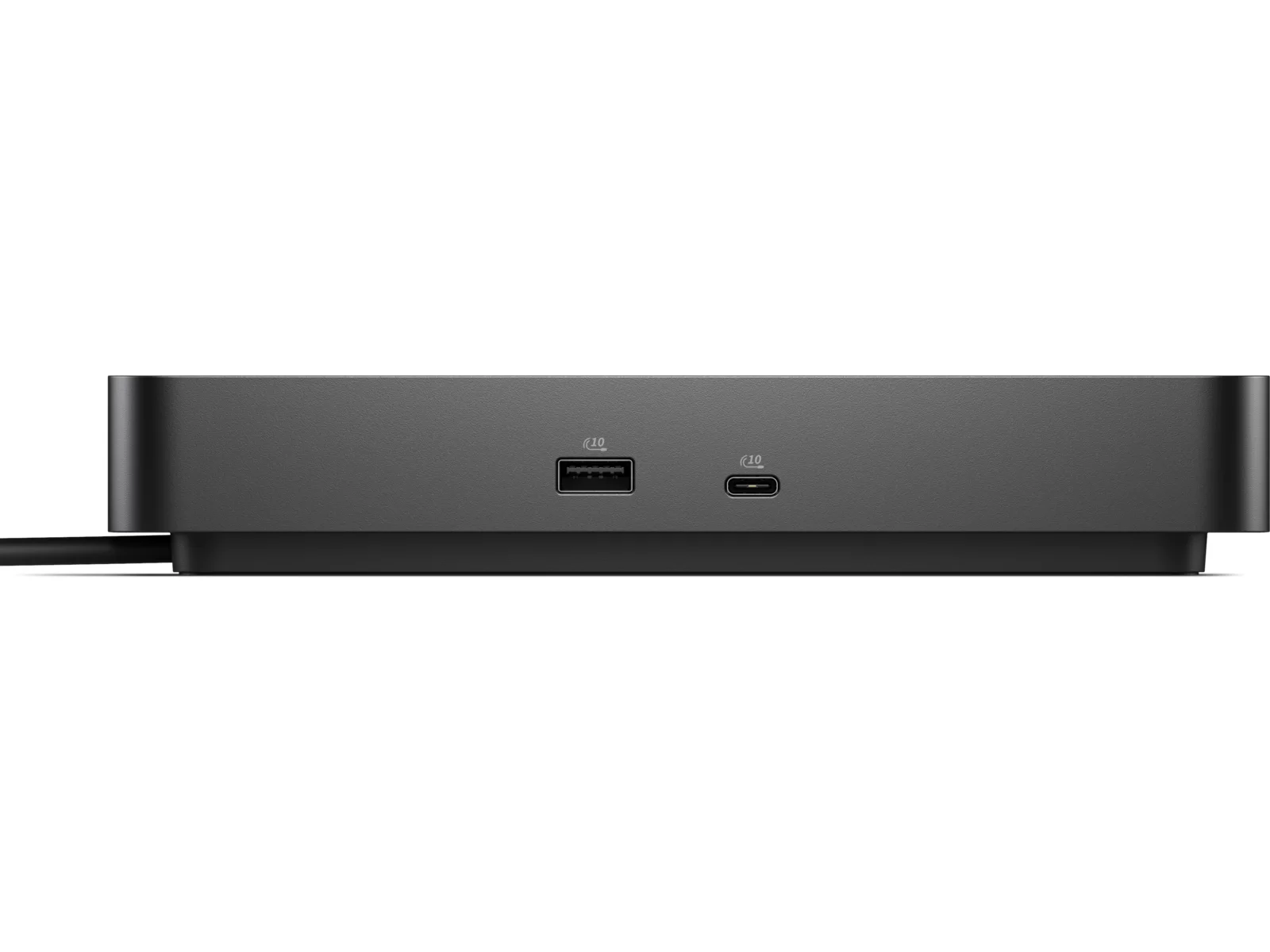
USB-C Ports: 1× USB-C 3.2 Gen2 (10Gbps)
USB-A Ports: 4× USB-A 3.2 Gen2 (10Gbps)
Ethernet: 2.5 Gigabit Ethernet (2.5GbE)
Power Delivery: 180W power adapter, up to 130W charging to Dell laptops (96W to non-Dell)
180W power adapter, up to 130W charging to Dell laptops (96W to non-Dell)
Grade B condition – 12-month warranty
12-month Buyer Area warranty
About this docking station
The Dell Pro Thunderbolt 4 Dock WD25TB4 is a refurbished docking station built to turn a single Thunderbolt port into a complete workstation hub. Released in 2024, it delivers dual Thunderbolt 4 connectivity, 2.5 Gigabit Ethernet and enough USB ports to connect monitors, peripherals and storage without reaching for cables every morning. It suits businesses upgrading their desk setups and remote workers who need a reliable way to dock a laptop, connect dual displays and charge at full speed through one cable.
Two Thunderbolt 4 ports anchor the dock, each capable of 40Gbps data transfer and daisy-chaining compatible devices. You also get one USB-C 3.2 Gen2 port (10Gbps) and four USB-A 3.2 Gen2 ports (10Gbps each) for keyboards, mice, external drives and other peripherals. The 2.5 Gigabit Ethernet port provides wired network speeds up to 2.5Gbps, far exceeding standard Gigabit Ethernet and ideal for large file transfers or video calls where Wi-Fi drop-outs aren't an option. Its 180W power adapter (sold separately) gives up to 130W charging to Dell laptops (96W to non-Dell) while powering all attached accessories, keeping desks tidy and devices topped up through a single upstream cable.
Who the Dell Pro Thunderbolt 4 Dock WD25TB4 Is For
This dock is built for professionals who need consistent multi-monitor setups without the tangle of adapters and hubs. Architects, designers and engineers working with CAD software or video editing will appreciate the dual Thunderbolt 4 ports for connecting 4K displays at 60Hz, while finance and legal teams benefit from the 2.5GbE port when moving large spreadsheets or case files across a company network. Hybrid workers moving between office and home can replicate their desk setup in seconds: plug in the single Thunderbolt cable and the laptop connects to monitors, network, peripherals and power in one action. Small businesses standardising their IT can deploy the WD25TB4 across multiple desks, knowing every user gets the same port layout and power delivery regardless of which laptop model they carry.
Connectivity and Everyday Performance
The dock's port array removes the need to daisy-chain multiple adapters. Four USB-A ports handle legacy peripherals—printers, scanners, card readers—while the USB-C port supports newer storage drives and fast-charging smartphones. Thunderbolt 4's 40Gbps bandwidth means you can connect a high-speed NVMe enclosure, a 4K monitor and a USB hub to a single downstream Thunderbolt port and still have headroom for the second Thunderbolt port to drive another display or Thunderbolt device. The 2.5 Gigabit Ethernet port is especially useful in offices with upgraded network infrastructure: you'll see file-copy speeds that saturate the connection, cutting minutes from backup tasks and cloud uploads. Because it's a refurbished unit from 2024 stock, the WD25TB4 has been tested to ensure every port functions as specified, so you can rely on stable video output, consistent charging and full-speed data transfer from day one.
Refurbished Dell Pro Thunderbolt 4 Dock: Grade B in Stock
This dock is available in Grade B condition. Grade B means the unit has been tested and confirmed working across all ports, power delivery and Ethernet, with light cosmetic signs of previous use that don't affect performance. Every dock passes inspection before dispatch, and your 12-month Buyer Area warranty covers any hardware fault from the day it arrives. Refurbished docking stations offer the same functionality as new models but at a lower environmental cost: reusing electronics keeps working hardware out of landfill and reduces the energy and raw materials needed to manufacture replacement units. For IT departments ordering multiple docks or home users building out a desk setup on a budget, refurbished Thunderbolt 4 docks deliver the port count and power delivery of retail stock without the new-device price.
This docking station comes without a charger in the box. If you need one, you can add a matching charger to your order on this page when available.
What’s in the box
1× Dell Pro Thunderbolt 4 Dock WD25TB4
1× Thunderbolt 4 host cable
Ports & connectivity
Port
Count
Notes
Thunderbolt 4
2
40Gbps, DisplayPort, power delivery
USB-C 3.2 Gen2
1
10Gbps data
USB-A 3.2 Gen2
4
10Gbps data each
2.5 Gigabit Ethernet
1
Wired network up to 2.5Gbps
Full specifications
Product Type
Docking Station
Model
Dell Pro Thunderbolt 4 Dock WD25TB4
Year
2024
Thunderbolt 4 Ports
2× Thunderbolt 4 (40Gbps, DisplayPort, power delivery)
USB-C Ports
1× USB-C 3.2 Gen2 (10Gbps)
USB-A Ports
4× USB-A 3.2 Gen2 (10Gbps)
Ethernet
2.5 Gigabit Ethernet (2.5GbE)
Power Delivery
180W power adapter, up to 130W charging to Dell laptops (96W to non-Dell)
Total Ports
8 (2× TB4, 1× USB-C, 4× USB-A, 1× Ethernet)
Maximum Displays
Dual 4K at 60Hz (via Thunderbolt 4 ports)
Data Transfer Speed
Up to 40Gbps (Thunderbolt 4), 10Gbps (USB 3.2 Gen2), 2.5Gbps (Ethernet)
Compatible Systems
Windows and macOS laptops with Thunderbolt 4 or Thunderbolt 3
Is the Dell Pro Thunderbolt 4 Dock WD25TB4 compatible with my laptop?
The WD25TB4 works with any Windows or macOS laptop that has a Thunderbolt 4 or Thunderbolt 3 port. Most Dell, HP, Lenovo and Apple laptops from 2017 onwards with Thunderbolt support will connect without issue. You'll need a Thunderbolt-capable port on your laptop to use all the dock's features, including dual 4K display support and 40Gbps data transfer. Standard USB-C ports without Thunderbolt will not provide full functionality.
How many monitors can I connect to the Dell Thunderbolt 4 dock?
The dock supports dual 4K displays at 60Hz through its two Thunderbolt 4 ports. You can connect monitors using USB-C to DisplayPort or USB-C to HDMI cables, depending on your monitor's inputs. If your laptop's GPU supports it, you can also daisy-chain additional Thunderbolt displays. Single higher-resolution displays, such as 5K or 6K, may require both Thunderbolt 4 ports on some systems, so check your laptop's display output specifications for exact configurations.
What comes in the box with the refurbished Dell Pro Thunderbolt 4 Dock?
You'll receive the Dell Pro Thunderbolt 4 Dock WD25TB4 unit and a Thunderbolt 4 host cable to connect the dock to your laptop. The dock requires a 180W power adapter, which is available separately as an optional add-on on our website. All ports and power delivery are tested and confirmed working before dispatch, and the unit is covered by a 12-month Buyer Area warranty.
Does the dock charge my laptop while I'm using it?
Yes. With its 180W power adapter (sold separately) the WD25TB4 charges Dell laptops at up to 130W and non-Dell laptops at up to 96W over the single Thunderbolt 4 upstream cable, so your laptop charges while all downstream ports remain active for monitors, peripherals and storage devices.
What is the 2.5 Gigabit Ethernet port used for?
The 2.5GbE port delivers wired network speeds up to 2.5Gbps, which is 2.5 times faster than standard Gigabit Ethernet. It's especially useful in offices with upgraded network infrastructure, for transferring large files to a NAS, backing up to network storage or maintaining stable, low-latency connections during video calls. If your router or switch supports 2.5GbE, you'll see significantly faster file transfers and cloud uploads compared to Gigabit or Wi-Fi.
Can I use USB-A peripherals with this Thunderbolt 4 dock?
Yes, the dock has four USB-A 3.2 Gen2 ports, each running at 10Gbps. These ports support keyboards, mice, printers, external hard drives, card readers and any other USB-A device. You don't need adapters for legacy USB peripherals, and all four ports can be used simultaneously alongside the Thunderbolt 4 and USB-C ports, giving you eight total connection points for devices and accessories.
What does Grade B condition mean for the Dell Thunderbolt 4 dock?
Grade A is excellent, with very light signs of use. Grade B is good, with light signs of use such as fine scratches. Grade C is fair, with clear signs of use. Every grade is fully tested and working.
Will the dock work with my MacBook or Dell XPS?
Yes, the WD25TB4 is compatible with any laptop that has Thunderbolt 4 or Thunderbolt 3, including MacBook Pro (2017 and later), MacBook Air (M1 and later), Dell XPS 13/15/17 with Thunderbolt, and HP, Lenovo or other Windows laptops with Thunderbolt ports. macOS and Windows both recognise the dock automatically, and you can connect dual displays, USB peripherals and Ethernet without installing additional drivers on most systems.