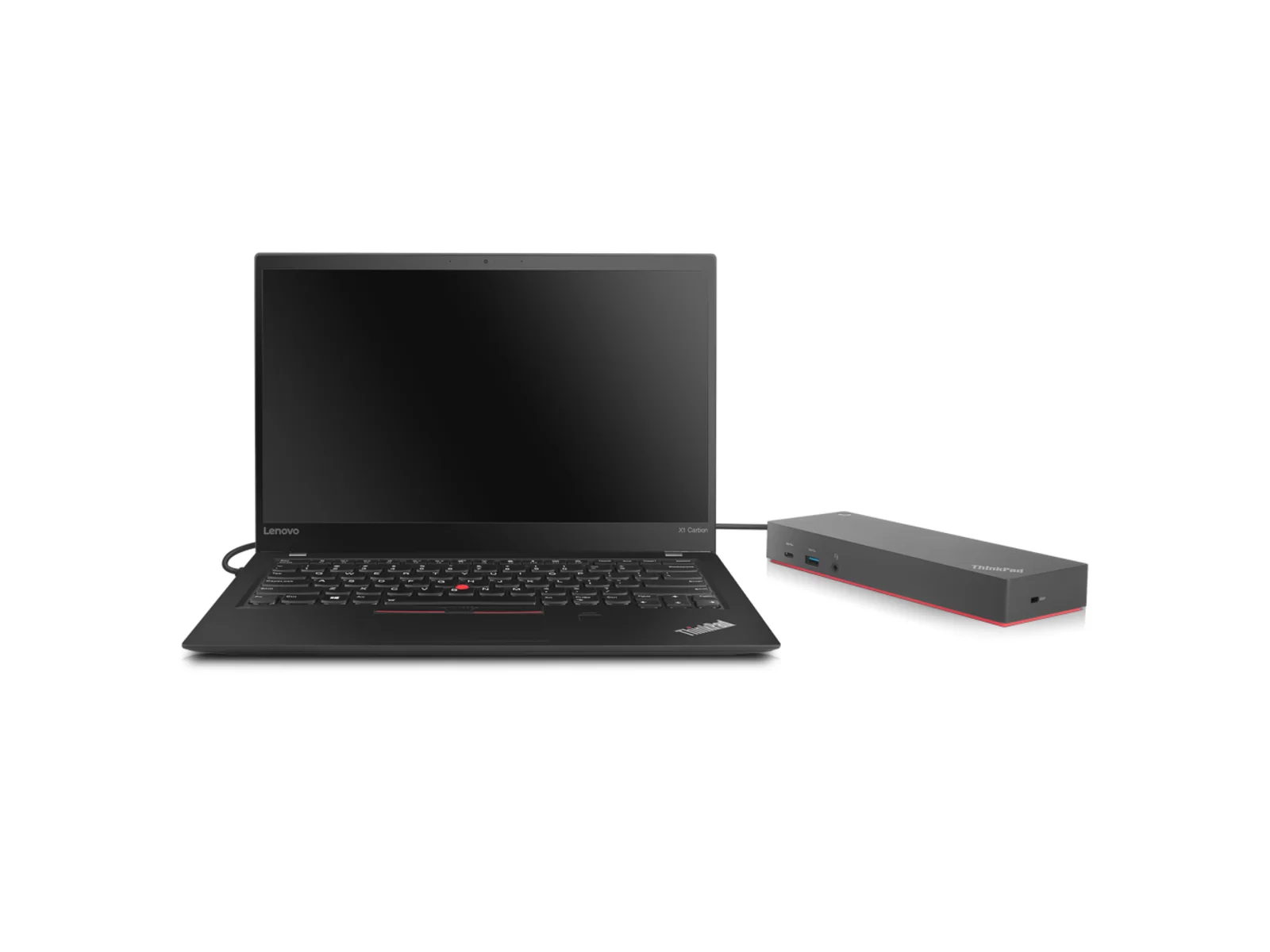
Refurbished Lenovo ThinkPad Hybrid USB-C with USB-A Dock
Lenovo ThinkPad Hybrid USB-C with USB-A Dock is a refurbished docking station from Buyer Area, from £22.99, 12-month warranty, free mainland UK delivery and 30-day returns.
Lenovo ThinkPad USB-C docking station · From £22.99
Free mainland UK delivery · Dispatched within 1–2 working days · 30-day returns
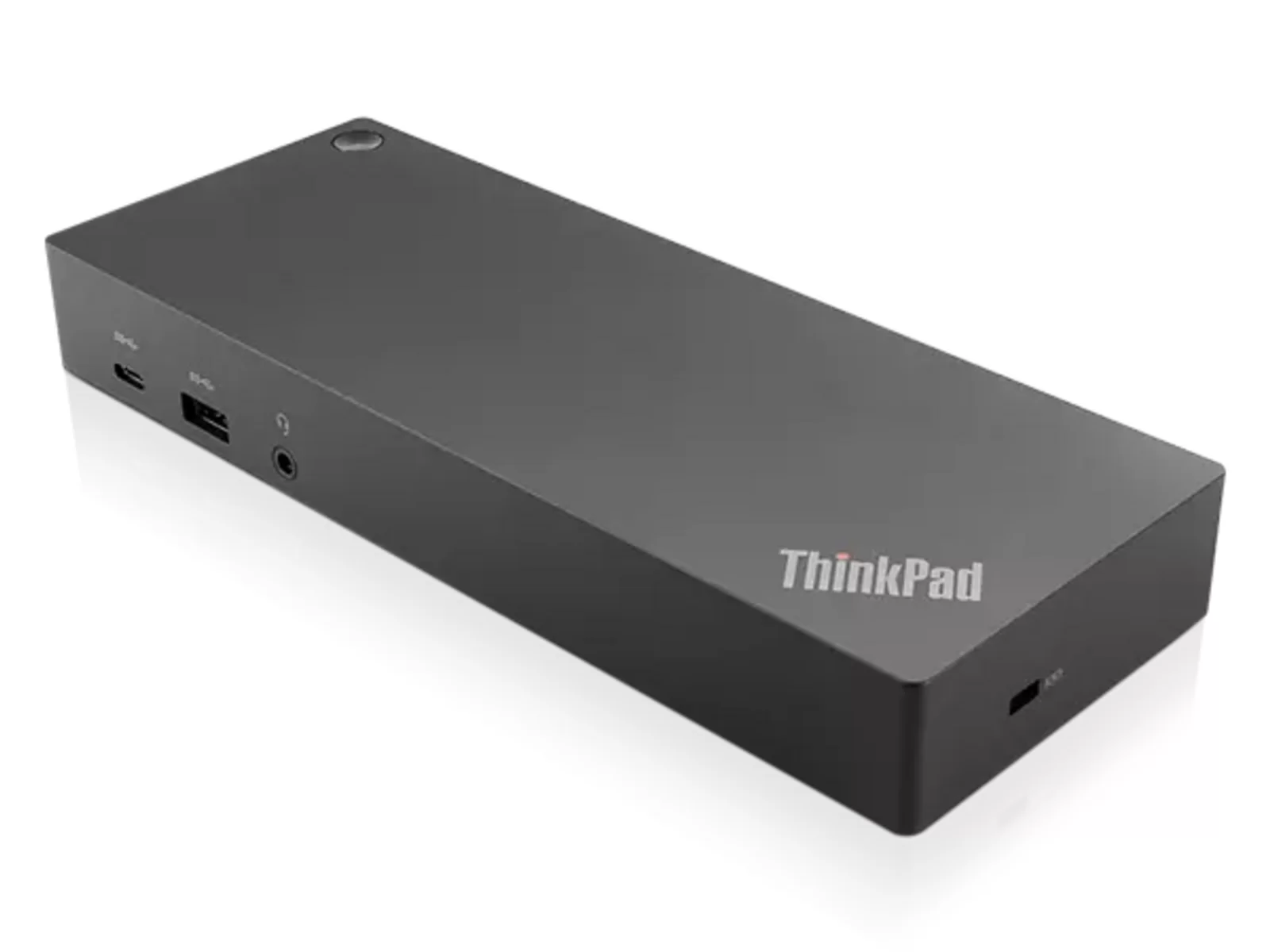
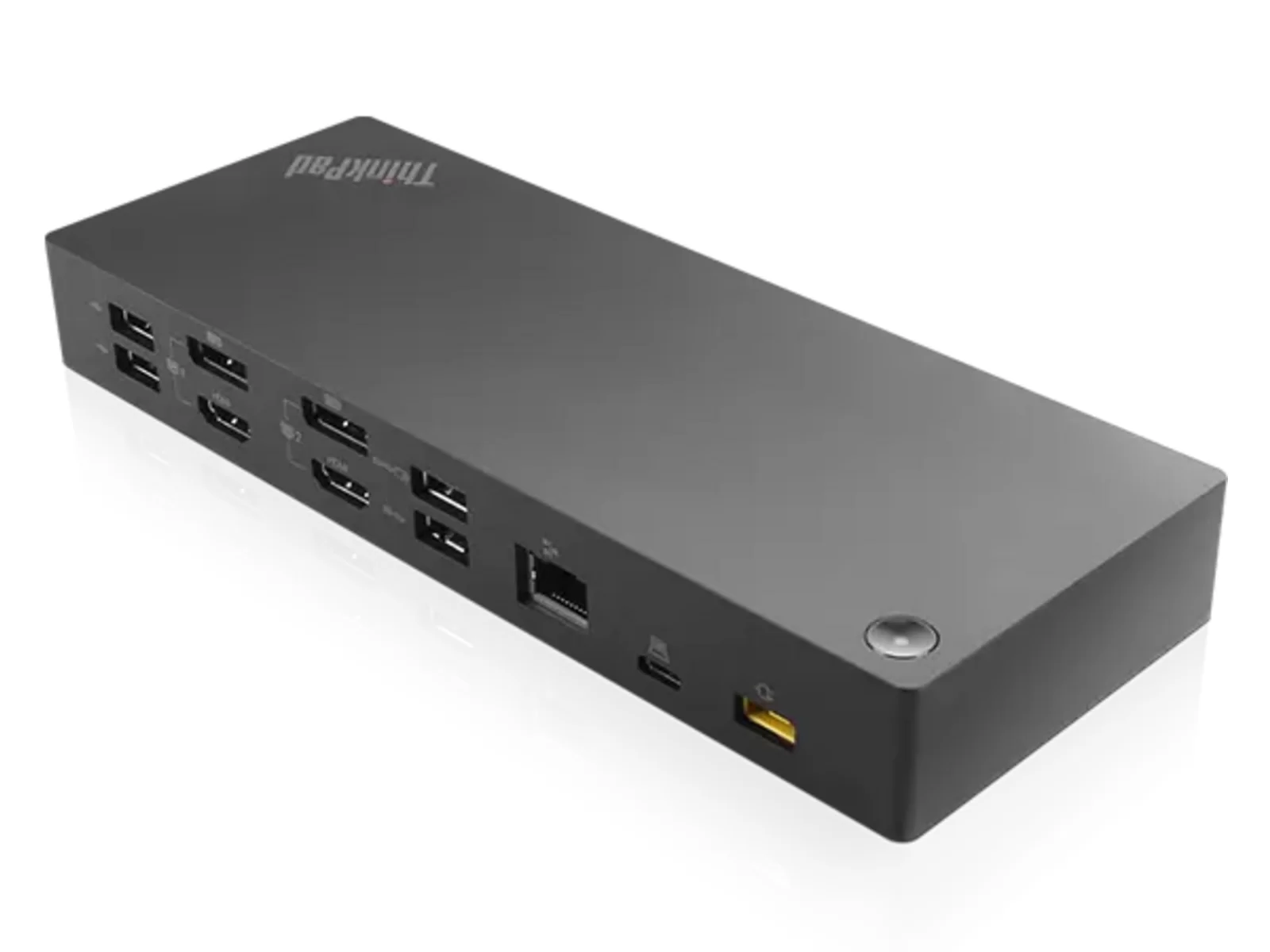
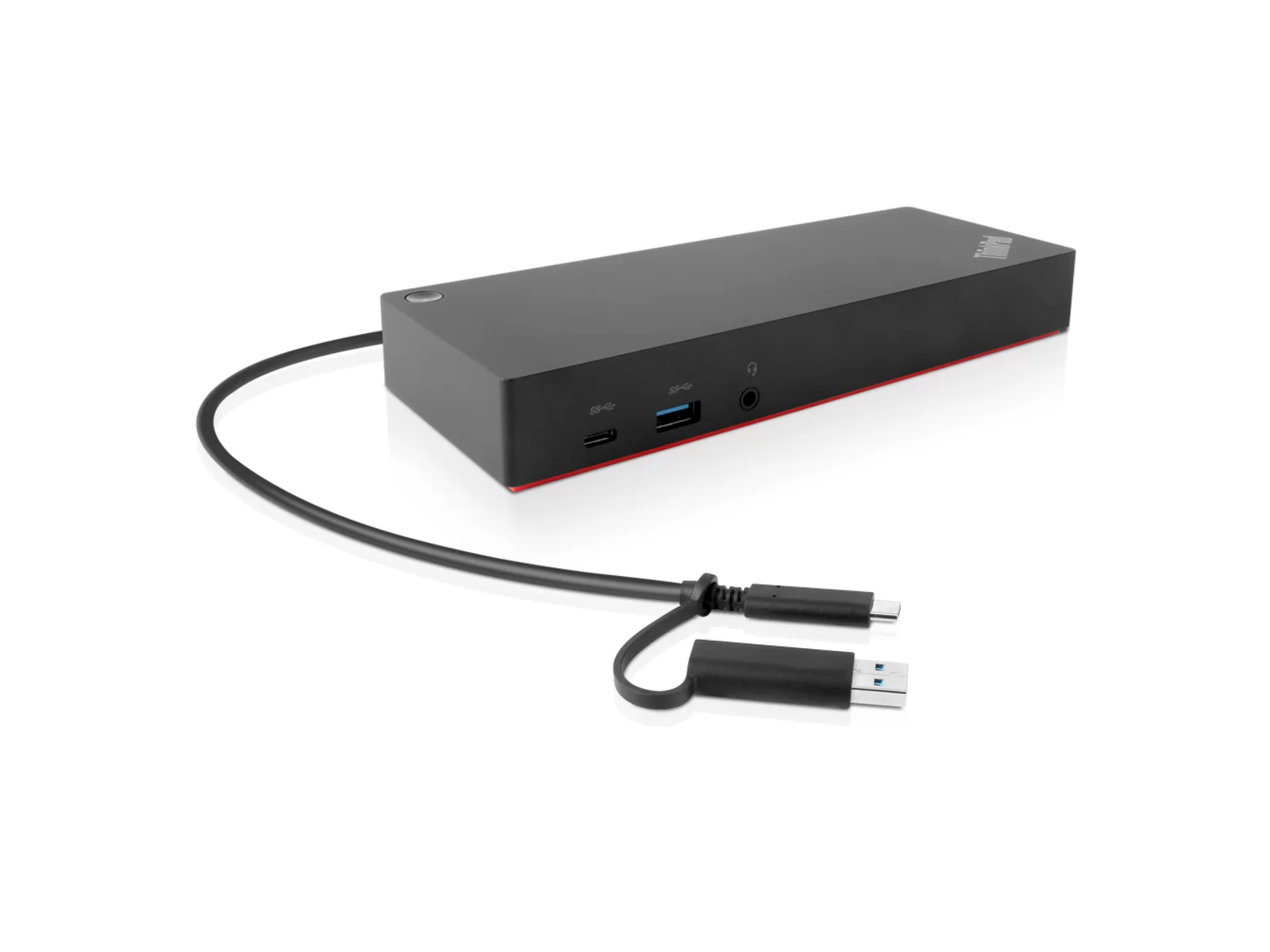
This Lenovo ThinkPad Hybrid USB-C with USB-A Dock connects your laptop via a single DisplayLink hybrid cable to turn one connection into a full desk setup. You get four video outputs supporting two 4K displays at 60Hz each, which suits anyone running a dual-monitor office or creative workstation. The dock also includes multiple USB ports and a wired network connection, making it practical for connecting peripherals and keeping your desk tidy. This works well for business users or remote workers who want a single-cable solution that expands their laptop's connectivity without clutter. This docking station is sold on its own, with no power supply or cables in the box. If you need one, you can add a matching charger to your order on this page when available.
Key specifications
Brand: Lenovo
Year: 2019
Power delivery: 135W via USB-C
USB-A 3.2 Gen2 ports: 3 (10 Gbit/s)
USB-A 2.0 ports: 2
USB-C ports: 1 (data and display)
Ethernet: Gigabit Ethernet (GbE), 1,000 Mbit/s
Audio: Combo audio jack (3.5 mm)
Host connection: USB-C or USB-A (hybrid)
Condition: Refurbished, Grade B
Best for
Hot-desking and hybrid workers: single-cable USB-C connection for power, displays and peripherals
Legacy hardware users: hybrid USB-A and USB-C host support bridges old and new laptops
Remote workers on video calls: Gigabit Ethernet and combo audio jack for stable calls and wired headsets
Small offices: five USB-A ports handle keyboards, mice, printers and external storage without a separate hub
Multi-laptop households: 135W power delivery charges most business laptops at full speed while docked
At a glance
Lenovo ThinkPad Hybrid USB-C with USB-A Dock (2019)
135W power delivery for fast laptop charging
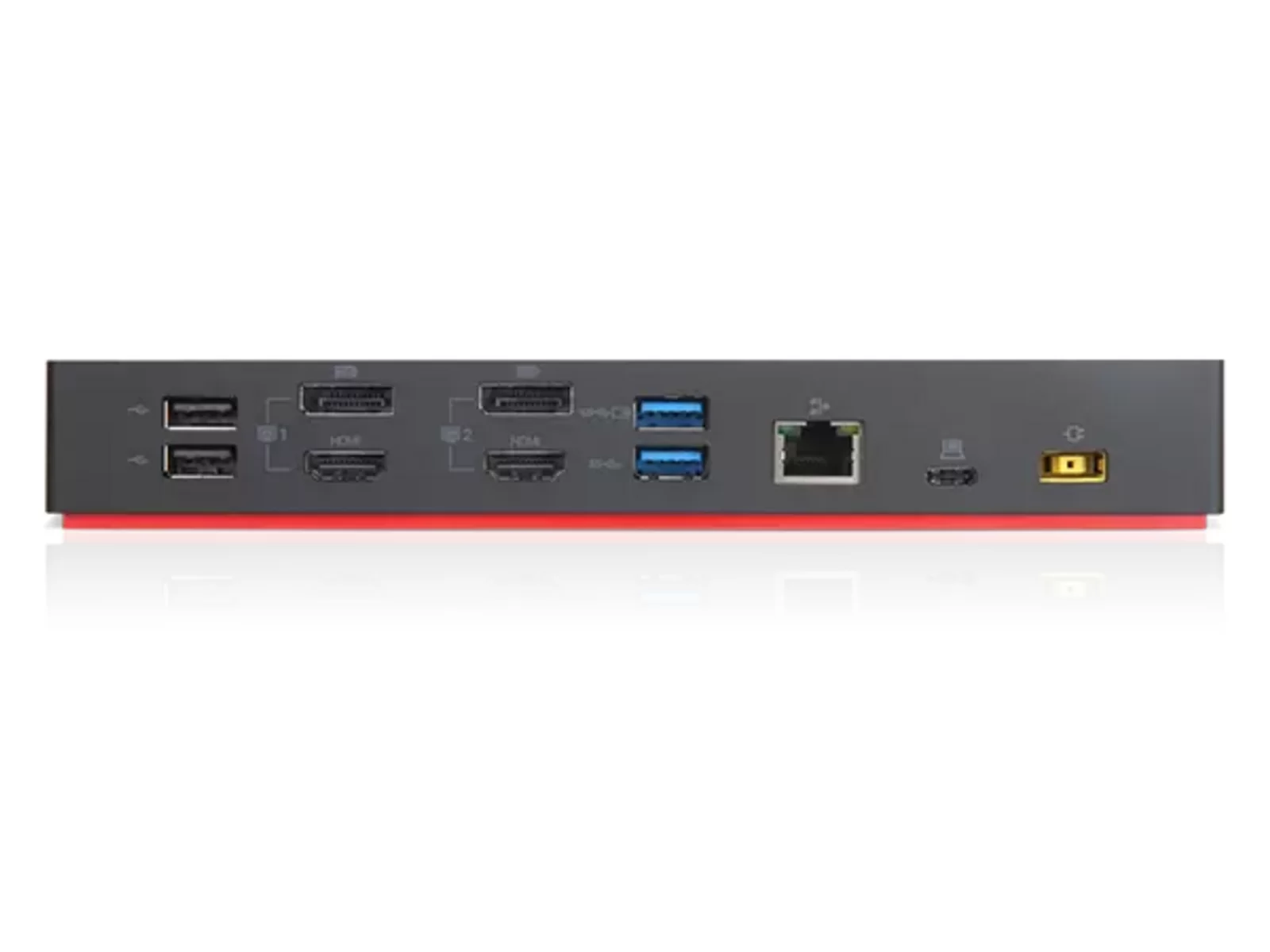
5× USB-A ports (3× USB 3.2 Gen2, 2× USB 2.0), 1× USB-C, Gigabit Ethernet
Combo audio jack for headsets
Grade B refurbished, 12-month warranty, 30-day returns
12-month Buyer Area warranty
About this docking station
The Lenovo ThinkPad Hybrid USB-C with USB-A Dock is a 2019 docking station designed to expand connectivity for laptops, tablets and workstations. Originally built for ThinkPad models with USB-C, it accepts both USB-C and USB-A host connections, making it compatible with a wide range of devices. This refurbished unit delivers 135W of power through USB-C, enough to charge most business laptops at full speed while running displays, peripherals and network connections through a single cable. Desk workers who need multiple monitors, wired Ethernet and legacy peripherals will find the port layout practical and the build quality robust.
The dock provides five USB-A ports in total: three are USB 3.2 Gen2 (10 Gbit/s) for external drives, docking keyboards and fast peripherals, while two are USB 2.0 for mice, printers and other low-speed devices. The USB-C port can be used for data and display connections. Gigabit Ethernet is built in, offering stable wired networking for downloads, video calls and VPN sessions. A combo audio jack handles headsets with a single 3.5 mm plug. A 135W power adapter is required for full functionality. All units have been tested and graded to Buyer Area standards; this model is available in Grade B.
Connectivity and everyday use
The hybrid design means you can connect a USB-C laptop with a single cable for power, display and data, or plug in an older USB-A laptop and add the power adapter separately. The three USB 3.2 Gen2 ports transfer files at up to 10 Gbit/s, cutting backup times for large media libraries or project folders. The two USB 2.0 ports handle peripherals that don't need high speed, freeing the faster ports for storage. Gigabit Ethernet runs at 1,000 Mbit/s, several times faster than typical office Wi-Fi under load. The combo audio jack supports CTIA-standard headsets, so calls and audio work without a separate microphone input. The dock sits flat on a desk or mounts vertically with an optional stand, keeping cables tidy under a monitor arm or behind a display.
Power delivery and compatibility
The 135W output is enough for ThinkPad T, X1 Carbon and P-series models under full CPU and GPU load, as well as many Dell Latitude, HP EliteBook and other USB-C business laptops. Power delivery negotiates the correct voltage automatically; lower-power devices charge safely at their maximum rate. The dock does not include a power adapter—a compatible 135W adapter is sold separately. Lenovo originally shipped this dock with ThinkPad systems from 2017 onward, but any laptop with USB-C (supporting DisplayPort Alternate Mode and Power Delivery) can use it for charging and connectivity. USB-A host mode works with older ThinkPads and non-Lenovo laptops; in that mode, power must come directly from the laptop's own charger.
What you're buying
This listing offers the Lenovo ThinkPad Hybrid USB-C with USB-A Dock in Grade B condition, refurbished and tested by Buyer Area. Grade B units show light signs of previous use but remain fully functional. Every dock has been checked for port operation, power delivery and network connectivity before grading. The unit comes with a 12-month warranty and 30-day returns. A matching power adapter is available as an optional add-on.
This docking station is sold on its own, with no power supply or cables in the box. If you need one, you can add a matching charger to your order on this page when available.
What’s in the box
1× Lenovo ThinkPad Hybrid USB-C with USB-A Dock
No power supply or cables in the box
Ports & connectivity
Port
Count
Notes
USB-A 3.2 Gen2
3
10 Gbit/s data transfer
USB-A 2.0
2
For keyboards, mice and printers
USB-C
1
Data and display (host port delivers 135W power)
Gigabit Ethernet (GbE)
1
1,000 Mbit/s wired network
Combo audio jack
1
3.5 mm headset port (CTIA standard)
Full specifications
Product type
Docking Station
Brand
Lenovo
Model
ThinkPad Hybrid USB-C with USB-A Dock
Year
2019
Power delivery
135W via USB-C
USB-A 3.2 Gen2 ports
3 (10 Gbit/s)
USB-A 2.0 ports
2
USB-C ports
1 (data and display)
Ethernet
Gigabit Ethernet (GbE), 1,000 Mbit/s
Audio
Combo audio jack (3.5 mm)
Host connection
USB-C or USB-A (hybrid)
Compatibility
ThinkPad and other USB-C laptops with DisplayPort Alt Mode and Power Delivery; USB-A laptops (power delivery disabled)
Yes. Any laptop with a USB-C port that supports DisplayPort Alternate Mode and USB Power Delivery can use this dock for charging, display output and data. USB-A host mode works with older laptops that lack USB-C, but in that configuration the laptop must be powered by its own charger—the dock cannot deliver power over USB-A. Dell Latitude, HP EliteBook, Surface Pro and MacBook models with USB-C are commonly used with this dock.
Does the dock come with a power adapter?
No. The dock requires a 135W power adapter to enable USB-C power delivery and full functionality. A compatible adapter is available separately as an optional add-on. If you connect the dock without a power adapter, USB ports and Ethernet will still work, but the dock cannot charge your laptop.
How many monitors can I connect?
The number of displays depends on your laptop's USB-C capabilities. Most business laptops support one or two external monitors through the dock via DisplayPort Alternate Mode. Check your laptop's specifications to confirm how many displays its USB-C port can drive simultaneously. The dock itself passes through the display signals your laptop provides.
What is the difference between the USB 3.2 Gen2 and USB 2.0 ports?
The three USB 3.2 Gen2 ports transfer data at up to 10 Gbit/s, making them suitable for external SSDs, high-speed storage and docking stations. The two USB 2.0 ports run at 480 Mbit/s, which is enough for keyboards, mice, printers and other peripherals that do not need high bandwidth. Using the faster ports for storage and the slower ports for input devices keeps your workflow efficient.
What does Grade B mean?
Grade A is excellent, with very light signs of use. Grade B is good, with light signs of use such as fine scratches. Grade C is fair, with clear signs of use. Every grade is fully tested and working.
Can I use this dock with a MacBook?
Yes, if your MacBook has a USB-C port that supports Thunderbolt 3, Thunderbolt 4 or USB4. Power delivery, display output, USB peripherals and Gigabit Ethernet all work. macOS recognises the dock automatically without additional drivers. Note that older MacBook models with only USB-A ports can use the dock in USB-A host mode, but power delivery will not function.
What is included in the box?
The docking station is sold on its own, with no power supply or cables in the box. A power adapter is not included—it is sold separately. The dock has been tested and graded, and is covered by a 12-month warranty.